Path Variables
Path Variable 은 REST API에서 URL 경로에 포함된 값을 variable 로 사용하여 처리하는 방식이다.
예를 들어, /users/{id} 와 같은 URL에서 {id} 는 Path Variable 로, Client 가 /users/123 을 요청하면 123 이 parameter 로 전달되는 방식이다.
Spring에서는 @PathVariable annotation 을 사용하여 URL 의 특정 부분을 method 의 parameter 로 binding 한다.
Path Variables - Test
public class StudentRestController {

    private List<Student> theStudents;

    @PostConstruct
    public void loadData() {
        theStudents = new ArrayList<>();
        theStudents.add(new Student("Arne", "Slot"));
        theStudents.add(new Student("Andy", "Robertson"));
        theStudents.add(new Student("Mohamed", "Salah"));
    }

    @GetMapping("/students")
    List<Student> getStudents() {
        return theStudents;
    }

	@GetMapping("/student/{studentId}")
	Student getStudent(@PathVariable int studentId) {
		return theStudents.get(studentId);
	}
}
우선 매번 Student 를 추가할 수는 없으니 이전 Controller 부분에서 code refactoring 을 수행하자.
List<Student> 를 하나 declare 하고 @PostConstruct annotation 을 사용한 loadData() method 를 만들어서 List 에 학생들을 미리 populate 시키도록하자.
@PostConstruct는 Java Standard Annotation 으로, Spring Framework 에서 주로 사용되며, Spring Bean 의 creation 및 dependency injection 이 완료된 이후, initialization 을 수행할 method 에 적용됩니다. 이 annotation 이 붙은 method 는 Application 이 시작될 때 딱 한 번 호출되며, 주로 initialization logic 을 define 하는 데 사용된다.
마지막으로, Path Variable 로 각 Student object 에 접근할 수 있는 getStudent() method 를 define 한다. @PathVariable annotation 을 사용하여 URL 의 studentId 값을 method 의 parameter 로 binding 한다.
이제 http://localhost:8080/api/student/0 로 GET method 를 사용하여 request 를 보내보자.
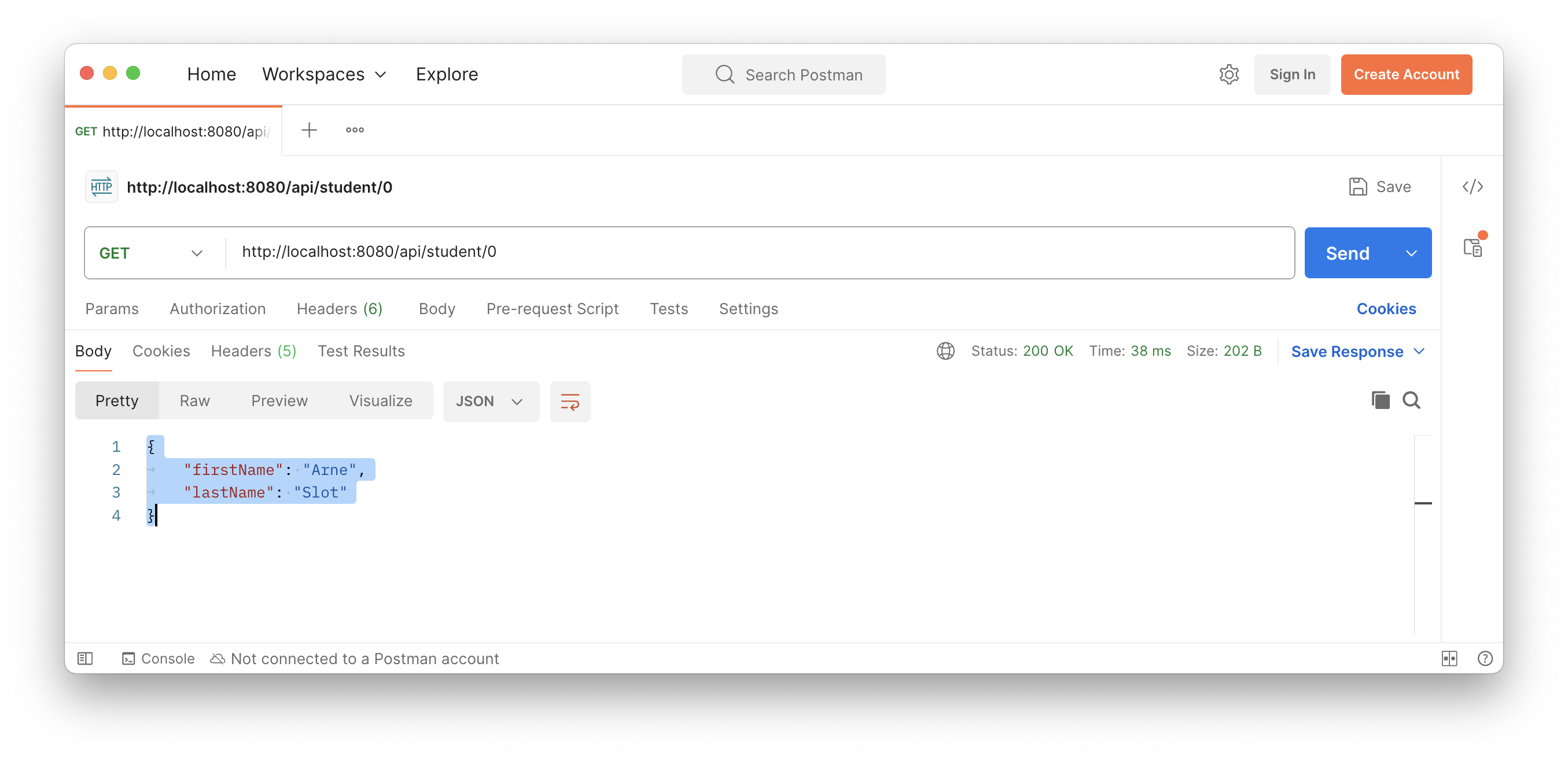 List 의 index
 0 에 해당하는 Student object 가, JSON format 으로 return 된 것을 볼 수 있다.
Path Variables - Bad Test
그렇다면, 만약 범위를 벗어나는 index 를 request 하면 어떻게 될까?
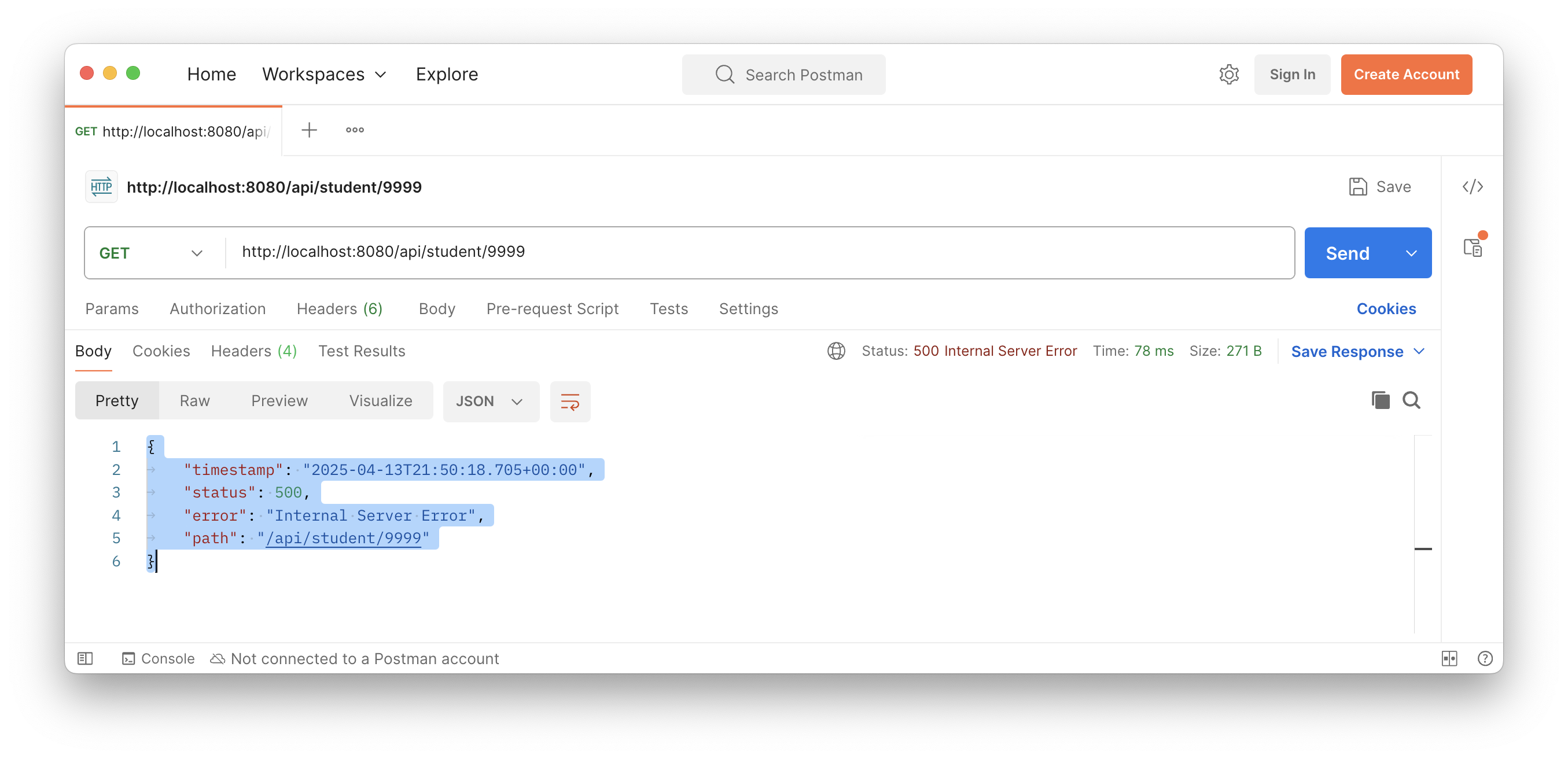 status code 는
 500 으로, Internal Server Error 가 발생하였다. 그러나 Internal Server Error 일 뿐, 내부적으로 어떤 것에 의하여 오류가 발생했는지는 알 수가 없다.
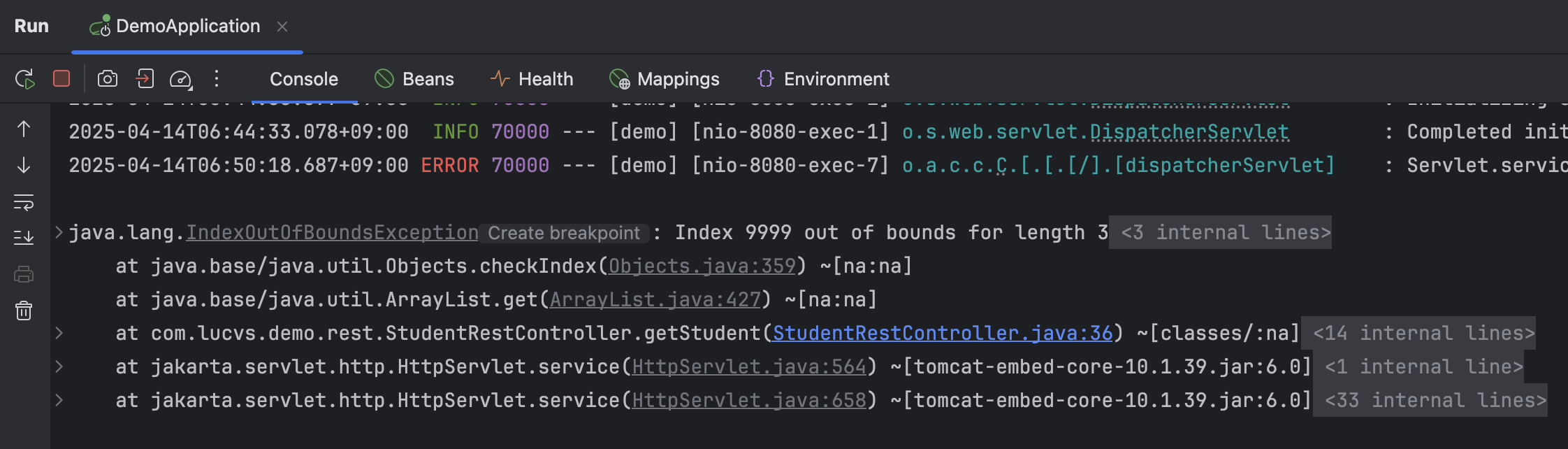
console log 를 보면 toggle 을 포함해서 엄청나게 긴 error log 를 확인할 수 있다. 중요한 부분만 보면, length 가 3 인 List 에 IndexOutOfBoundException 이 발생한 것을 알 수 있다.