Problem
Spring Data REST 는 entity type 의 name 을 기반으로 endpoints 를 생성한다.
그러나, 영어는 매우 혼잡스러운 언어이기 때문에 간혹 “Goose, Geese” 와 같은 불규칙한 plural form 이 존재한다. Spring Data REST 는 이것까지 지원하지는 않는다.
그렇다면 이와 같은 noun 을 사용할 때에나, entity type 과 다른 단어로 endpoint 를 생성하고 싶을 때에는 어떻게 해야 할까?
Solution
@RepositoryRestResource(path="members")
public interface EmployeeRepository extends JpaRepository<Employee, Integer> {}
위와 같이 @RepositoryRestResource annotation 을 사용하여 explicit 하게 endpoint name 을 지정할 수 있다.
Pagination
default 로, Spring Data REST 는 first 20 elements 를 return 한다. 즉, Page size 는 20 인 것이다.
http://localhost:8080/employees?page=0 과 같이, URL 에서 ? 뒤에 붙는 key=value 형태의 data 인 Query Parameter 를 사용하여 different page 를 navigate 할 수 있다. page 는 0 부터 시작한다.
spring.data.rest.base-path, spring.data.rest.default-page-size, spring.data.rest.max-page-size 등, spring.data.rest.* 을 application.properties file 에 configure 하는 것을 통하여 Pagination 을 설정할 수 있다. 더 자세한 내용은 Spring Document 에서 확인할 수 있다.
Sorting
entity 의 property name 으로 sorting 을 수행할 수 있다. lastName 을 기준으로 sorting 을 원하면,
http://localhost:8080/employees?sort=lastName과 같이 query parameter sort 를 사용하고, default 는 ascending order 이기 때문에,
http://localhost:8080/employees?sort=lastName,desc를 통하여 descending order 로도 sorting 할 수 있다. 만약 last name 을 기준으로 sorring 하고, 그 안에서 first name 으로 sorting 하고 싶다면,
http://localhost:8080/employees?sort=lastName,firstNamem,asclast name 은 내림차순, 그 다음 first name 은 오름차순이라면,
http://localhost:8080/employees?sort=lastName,desc&sort=firstName,asc과 같이 작성하면 된다.
Test - Configuration
먼저 @RepositoryRestResource annotation 을 통하여 endpoint 를 members 로 변경해보자.
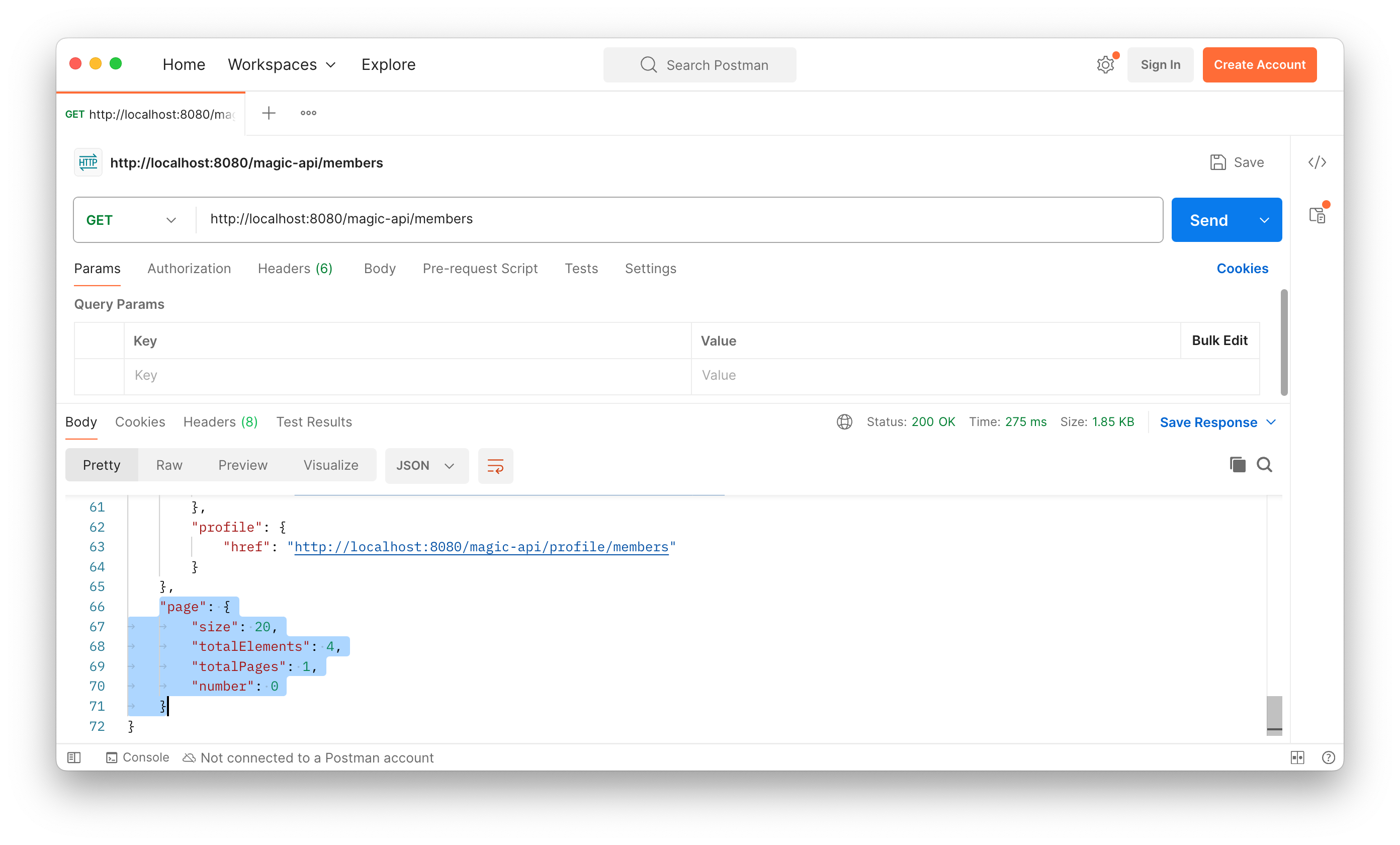 response body 를 보면, HATEOAS 에 의하여
 page 에 대한 meta-data 도 같이 넘어온 것을 볼 수 있다. size 가 20 이라는 것은 아까 언급한 page size 가 default 는 20 이라는 것을 증명한다.
Test - Pagination
application.properties 에 spring.data.rest.default-page-size=3 으로 설정하고 다시 request 를 보내면,
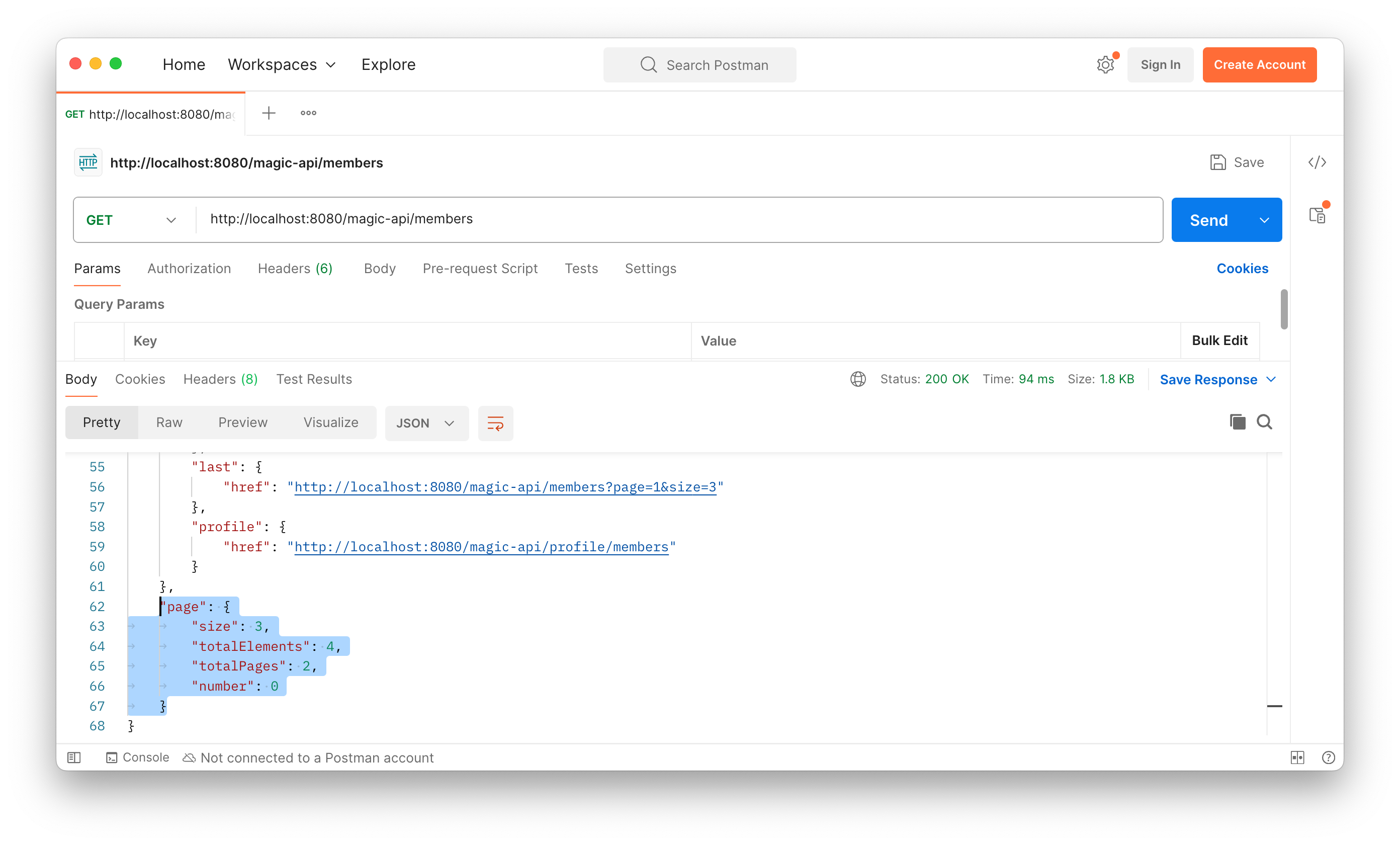 위와 같이
위와 같이 size 는 3, totalElements 는 4 이므로, totalPages 가 2 가 된 것을 확인할 수 있다. 또한 first 3 elements 가 return 되므로, query parameter 를 통하여 page 간의 navigation 을 수행할 수 있다. 아니면 다음과 같이 first 4 elements 로 강제할 수도 있다.
http://localhost:8080/magic-api/members?page=0&size=4Test - Sorting
마지막으로 Sorting 에 대하여 test 해보자. query parameter sort 를 이용하여 firstName 을 기준으로 오름차순 정렬하면,
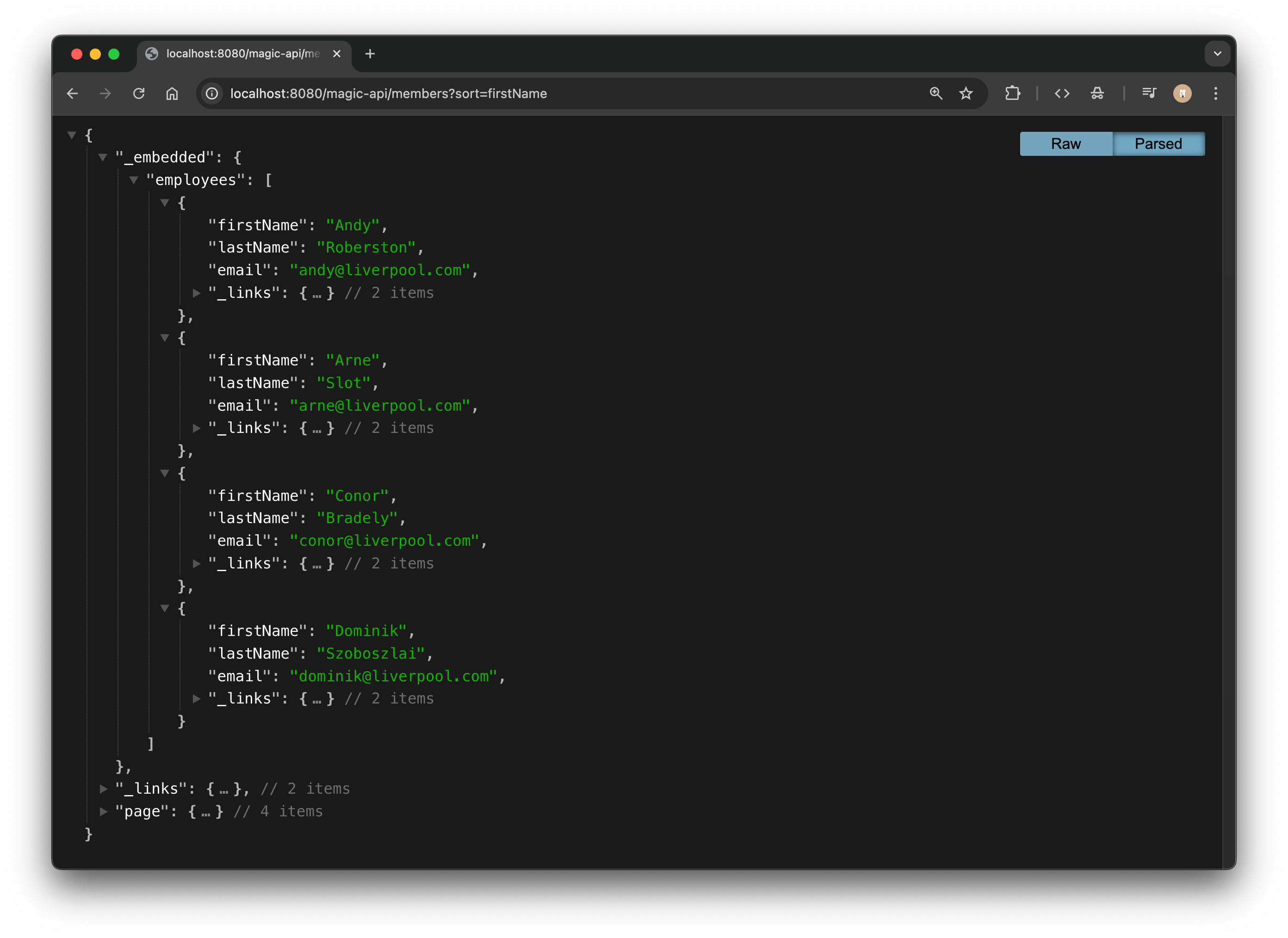 과 같이 결과가 잘 나온 것을 볼 수 있고,
 firstName 이 "Arne" 인 entity 를 하나 더 POST 하고, last name 도 같이 sorting 에 포함시키면,
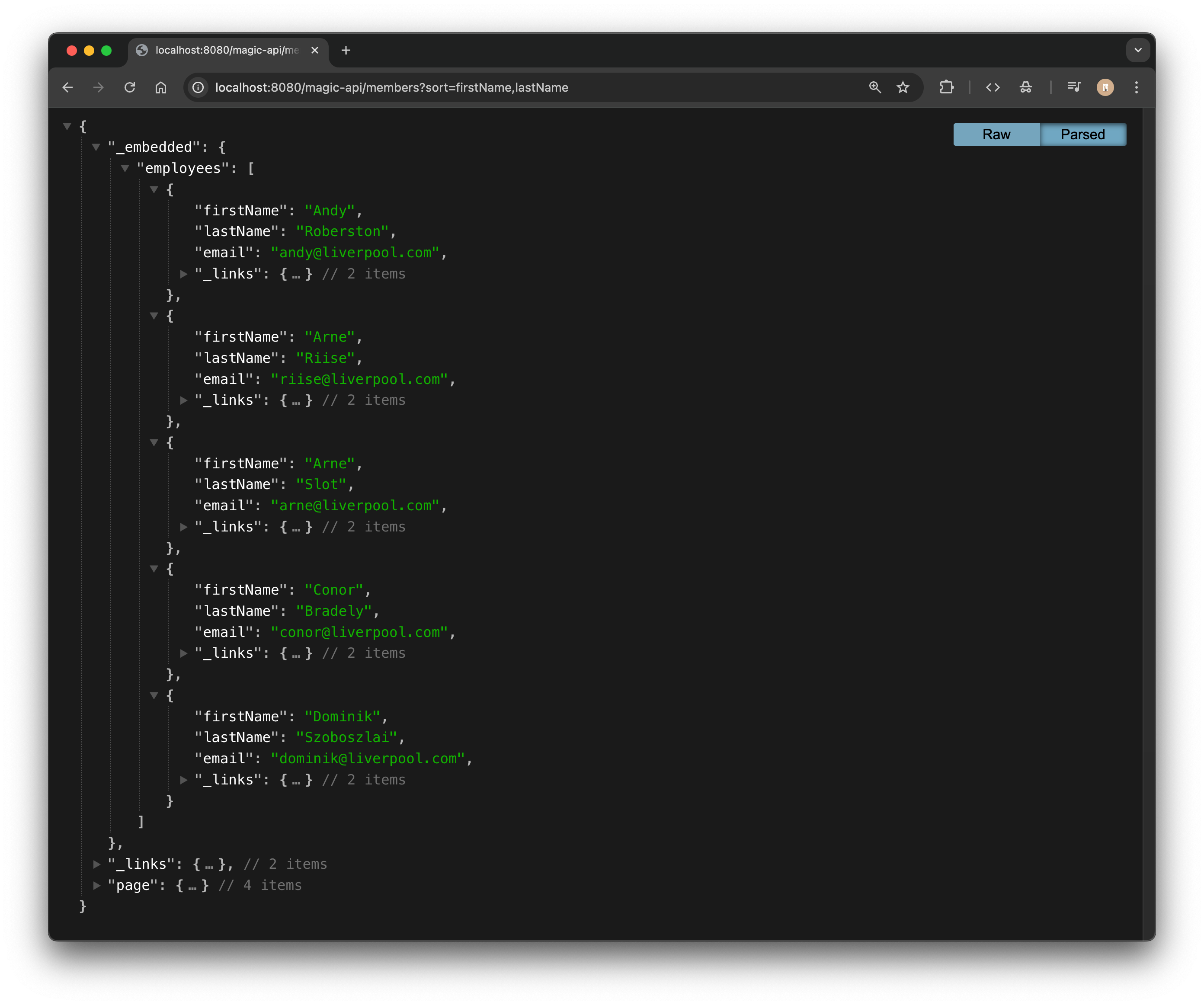 위와 같이 동일한 first name 을 기준으로 먼저 sorting 하고, 이후에 같은 first name 에 대하여 다시 last name 을 기준으로 sorting 한 결과를 볼 수 있다.