Spring Boot Actuator 는 Spring Boot Application 의 상태를 모니터링하고 관리하기 위한 도구이다.
Actuator 를 사용하게 되면 특정 endpoint 들이 활성화된다. endpoint 를 활성화하는 것을 expose 한다, 즉 노출시킨다라고도 표현한다. 모든 endpoint 에 대한 목록과 정보는 Spring 공식 문서 에서 확인가능하다.
Accessing Endpoints
POM 파일에 dependency 를 추가함으로써 Spring Boot Actuator 를 사용할 수 있으며, 기본적으로는 /health endpoint 만 활성화되어 있다. 다른 endpoint 활성화를 위해서는 application.properties 파일에 다음과 같이 추가해주어야 한다.
만약 /info endpoint 를 추가하고, 해당 endpoint 에 환경변수 정보를 포함하도록 하고 싶으면 다음과 같이 추가하면 된다. 아니면 wildcard 를 사용하여 모든 endpoint 들을 expose 할 수도 있다.
management.endpoints.web.exposure.include=health,info
management.info.env.enabled=true

# expose all endpoints
management.endpoints.web.exposure.include=*
그러나 해당 endpoint 들을 public 하게 보여주는 것은 보안 관점에서 올바르다고는 할 수 없기 때문에, 특정 권한을 가진 client 의 요청에만 응답하는 식으로 구성하거나 아예 특정 endpoint 에 대하여는 비활성화하는 것이 바람직할 것이다.
추가적으로 해당 글 에서 부하가 존재하는 Server System 에서 Acutator 가 Health Check 를 하는 과정과 이에 대한 이슈를 다루고 있어 주기적으로 살펴볼 필요가 있다.
Accessing Endpoints - Test Result
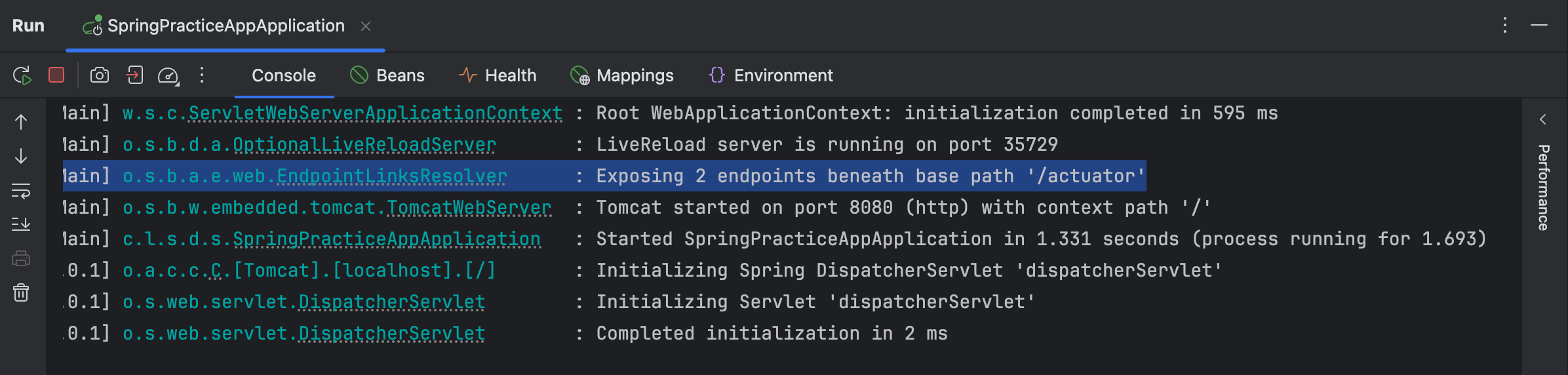
/health, /info endpoint 만을 추가한 이후에 Application 을 실행하고 log 를 확인해보면 위와 같이 2 개의 endpoints 가 exposed 되었다는 것을 확인할 수 있다.
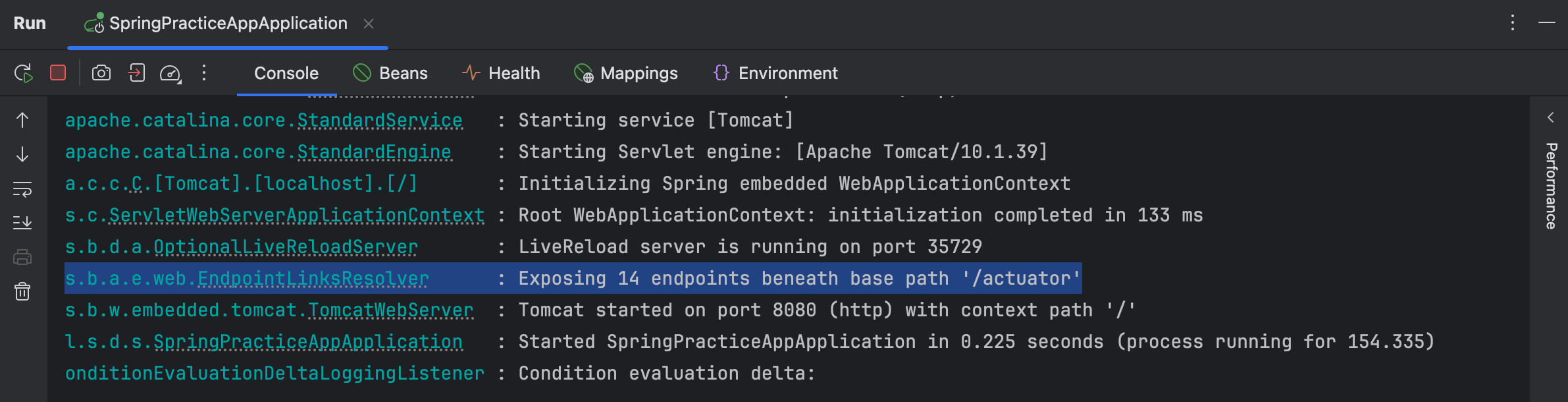
wildcard 를 이용하여 모든 endpoint 를 추가했을 경우에는 위와 같이 14개의 endpoint 들이 exposed 된 것을 볼 수 있다.
Securing Endpoints
위에서 봤듯이 모든 endpoint 를 expose 하는 것은 안전하지 않을 수 있다. 먼저 간단하게 특정 endpoint 를 비활성화하는 방법에 대하여 알아보자.
management.endpoints.web.exposure.exclude=health,info위와 같이 입력해줌으로써 간단하게 특정 endpoints 를 비활성화할 수 있다. 그러나 해당 방법은 어느 누구도 해당 endpoint 에 접근할 수 없게 된다.
이에 login 의 방법을 통하여 검증을 거친 뒤, 해당 사용자에게 특정 endpoint 에 대한 접근을 허용하게 하는 방법이 있다. 바로 spring-boot-starter-security 를 이용하는 것이다.
/actuator/bean endpoint 에 대한 접근을 관리한다고 해보자. Spring Security 를 사용하게 되면 Spring Security 는 해당 endpoint 에 접근하는 사용자에게 login promt 를 부여한다.
default user name 은 user 이고, default password 는 console logs 에서 확인할 수 있다. 그러나 이들은application.properties 파일을 통하여 overriding 할 수 있으며, DB 를 사용하여 role 을 기준으로 할 수도 있고, 또 암호화를 하여 사용할 수도 있다.
Securing Endpoints - Test Result
우선 POM 파일에 spring-boot-starter-security 를 추가하고 Application 을 실행하면 다음과 같은 log 를 확인할 수 있다.
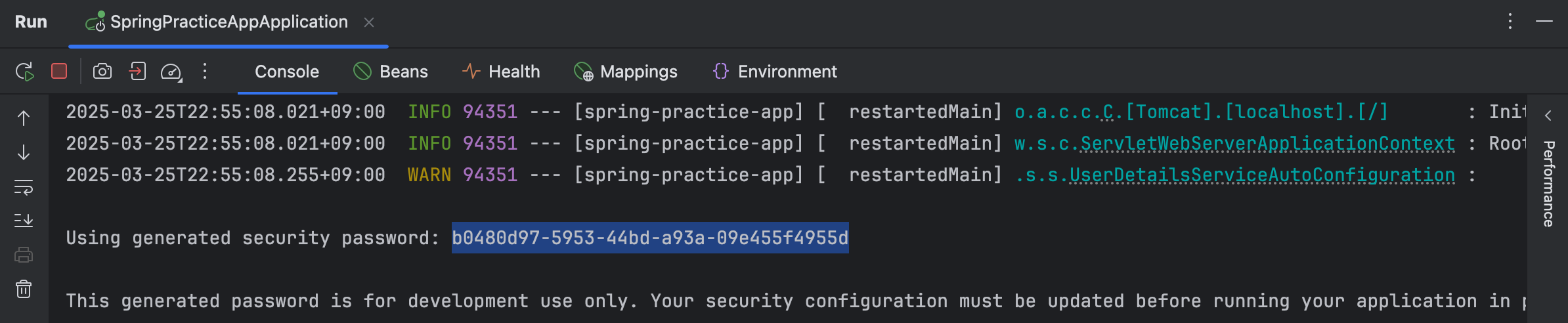
default password 가 나온 것을 볼 수 있고, 아래에는 개발 단계에서만 해당 password 를 사용하고 publication 단계에서는 update 가 필요하다는 메세지가 있는 것을 알 수 있다.
# Use wildcard to expose all endpoints
management.endpoints.web.exposure.include=*
management.info.env.enabled=true

# Exclude individual endpoints with a comma-delimited list
management.endpoints.web.exposure.exclude=health,info
위 상황에서 각각 /beans 와 /health endpoint 에 접근했을 때의 실제 server 응답은 다음과 같다.
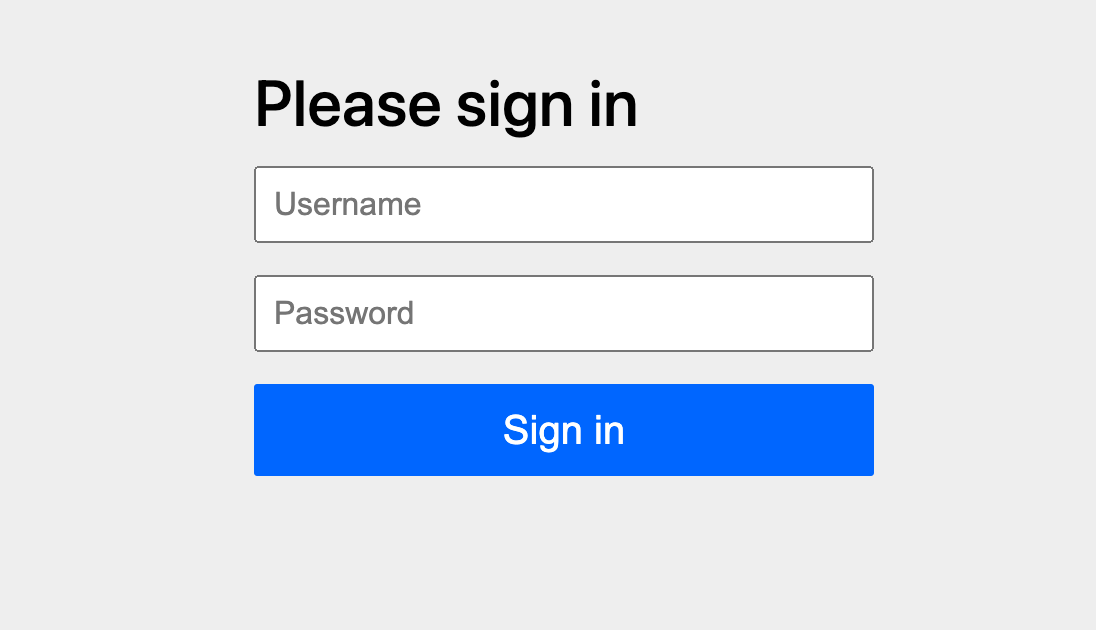
우선 root endpoint 를 포함한 모든 endpoint 에 Spring Security 가 적용이 되기 때문에, 위와 같이 /login endpoint 로 강제 redirection 되는 것을 볼 수 있다.
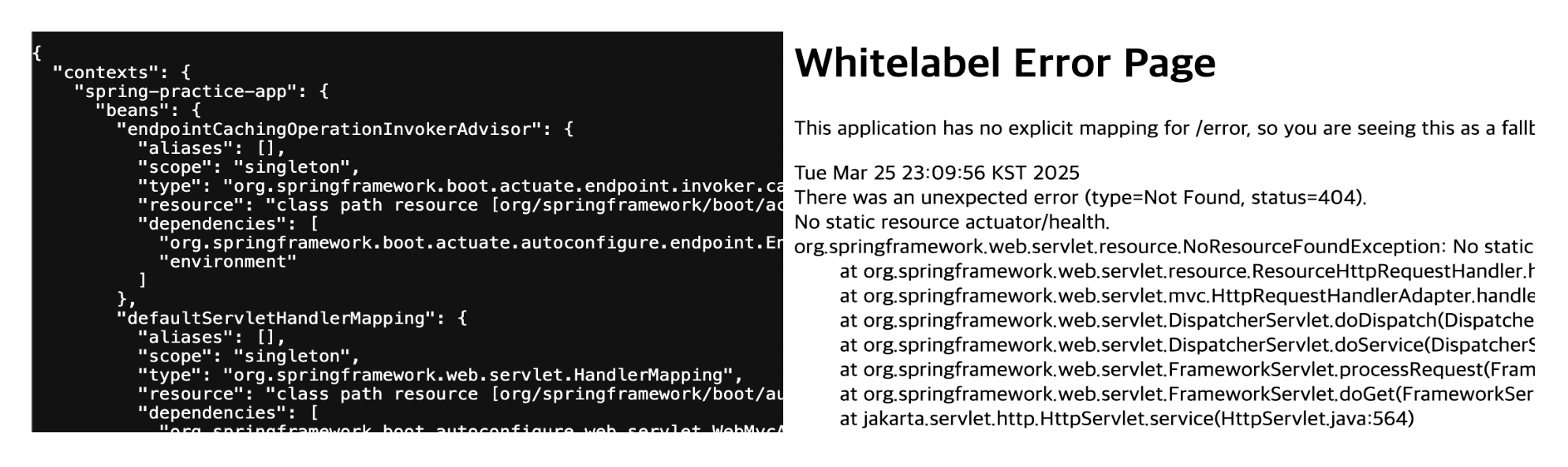 기존의 endpoint 들에 대하여는 왼쪽과 같이 정상적으로 접근이 가능한 모습이지만, exclude 를 통하여 제외된 endpoint 에 접근할 때에는 우측과 같은 Whitelabel Error Page 가 보여지는 모습이다.